Updated October 2026
Spa Spillover and Deck Water Feature Interlock Relay Wiring Before Automatic Pool Cover Closure
A spa spillover pool cover interlock prevents raised spa weirs, sheer waterfalls, and deck jets from dumping water onto a deploying or closed automatic pool cover. Depending on the cover drive and equipment pad architecture, installers wire cover position magnets and reed or Hall-effect sensors into built-in controller feature relays, dedicated valve and pump interrupter modules, or pool automation cover-switch inputs so return diverter valves and auxiliary feature pumps shut off whenever the cover leaves its fully retracted position.

Electronic cover controller feature relays, motor interrupt modes, and magnet sensing
Electronic automatic pool cover controllers that include an internal feature relay can interrupt a water feature pump or redirect a return diverter valve actuator as soon as the cover moves away from the open end of the pool, as coordinated during automatic pool cover installation.
In the Latham 1601 Electronic Controller manual, the 1601 electronic controller is designed to operate Latham's 3 wire motors and hydraulic power pack units and is compatible with the Latham (Coverstar or Pool Cover Specialists) Touchpad, Touchpad WiFi, and Low Voltage Switch devices.
In the Latham 1601 Electronic Controller description, the controller also has built-in feature control capability to override water features such as water falls and fountains to prevent the flow of water onto the cover when the cover is deployed over the pool.
In the Latham 1601 Electronic Controller installation notes, the control switch must be mounted in a location where 100% of the pool surface is visible, the power circuit should be sized for 20 amps and must be sized accordingly, and installers must use a 20amp GFCI breaker at the panel.
On the Latham 1601 Electronic Controller, when MOTOR INT. is enabled the motor will shut down when the sensor for that direction is triggered, which allows the sensor to work for both the feature trigger and motor limits.
On the Latham 1601 Electronic Controller, if MOTOR INT. is disabled the feature relay will still respond to the sensor input disabling the pool features (such as a waterfall) if the cover is not open, but the motor will ignore the sensors.
For Latham 1601 Electronic Controller feature control operation, two configurations are supported: Option 1 uses magnets attached to the cover and a sensor positioned near the guide feed to determine the position of the cover, whereas Option 2 uses a magnet attached to the roll-up tube and the sensor attached to the frame of the cover mechanism to count rotations of the cover, with Option 1 providing better accuracy and Option 2 being easier to configure.
In Option A sensor and magnet placement (with Mode Select set to Cover, not Rotation), when the cover is being operated with the UNCOVER switch a trigger from a passing magnet indicates the cover to be fully opened and the controller will shut off the motor (if Mode Select Motor Int. is set) in the uncover direction and turn on relays to enable the feature that is in the circuit.
In Option A sensor and magnet placement, when a trigger from a passing magnet is sensed using the COVER direction the motor is shut down (if Mode Select Motor Int. is set) in the cover direction, and to prevent a false trigger of a magnet in the opposing direction the trigger mechanism is ignored for the first few seconds of operation.
In Option A operation, operating the cover in the COVER direction will unlock the uncover direction if previously triggered as open and shut off any enabled feature relay, while operating the cover in the UNCOVER direction will unlock and enable the cover direction if previously triggered as closed.
In Option A magnet placement, attach the sensor over or under the cover in a fixed location near the webbing so that a magnet placed on the cover will pass within 1/2 inch of the sensor when attached to the cover, open the cover and attach a magnet to the cover about 1 to 1/2 inch behind where the sensor is located, and close the cover and place the close magnet about 1 to 1/2 inches in front of where the sensor is located.
In Option A magnet placement, when the cover senses the magnet the momentum from the system will allow the cover to travel about 1 to 2 inches, and placing the magnets in the right position will ensure proper open and close operation every time.
In Option B rotational counting (with Mode Select set to Rotation, not Cover), install the sensor onto the outer frame of the mechanism within 1/2 inch of the rollup tube shaft, attach the magnet to the drive shaft of the rollup tube so that the magnet can trigger the sensor when the magnet rotates past the sensor (less than 1/2 inch), move the cover to the open location where the feature needs to enable, and with the unit powered on press the ZERO button on the control board near the power LED so the cover will turn on the feature when it senses the unit return to the Zero position.
The 1601 controller has built-in feature control capabilities and is configurable to interrupt motors and other general interrupts up to 8A or 1/3HP motor (250VAC Max), where one feature interrupt or one automatic valve can be controlled via the controller and the automatic valve will interrupt power to the on side of the valve (WHT) and redirect to the off side of the valve (RED) when the cover moves out of the open position.
On the 1601 controller, for additional interrupts or higher current ratings, installers use the feature control capability to actuate an auxiliary relay or relays.
When wiring directional inputs from a switch on the 1601 controller, make sure that the COVER switch direction and the CVR LED on the feature controller actuate together; if the UNCVR LED lights up when the COVER direction is actuated, then the directional wires from the switch must be reversed for proper feature control.
To change control board configuration (MODE SELECT) on the Latham control board, press and hold the MODE SELECT button for 4 seconds, and every 4 seconds the control will cycle to the next available mode until the desired configuration is set.
Matching the directional switch wires to the controller direction indicators and accounting for cover coasting momentum keeps the open-position magnet aligned with the feature relay trigger point.
Guide-mounted water feature sensors, sensor motor adapters, and limit control wiring
Where the magnetic position sensor mounts at the guide feed or inside the recessed cover box, low-voltage sensor leads and waterproof splices follow the enclosure layout in the low-voltage waterproof wiring inside cover vaults guide.
In the Latham 3 Wire Motor Limit Control instructions, make sure the Limit Control Enclosure is mounted as high as possible in the cover box, the motor requires 8 amps and all wiring from the power supply to the motor must be sized accordingly with a 15amp GFCI breaker at the panel, and the 3 Wire Motor Limit Control was not designed to work with 5 wire motors.
In the Latham Motor Limit Control Hall Effect Sensor wiring instructions, connect Sensor White to Control 5v+ (5 volts DC), connect Sensor Green to Control G- (0 volts DC or COMMON), connect Sensor Red to Control S1 (Sensor Output 1), and connect Sensor Black to Control S2 (Sensor Output 2).
In the Latham Motor Limit Control Reed Switch Sensor wiring instructions, connect Sensor 1 Lead (Either Wire) to Control S1 (Sensor Output 1), connect Sensor 2 Lead (Either Wire) to Control S2 (Sensor Output 2), and connect Both Sensor 1 and 2 Opposite Lead to Control G- (0 volts DC or Common).
When testing sensor installation on the Latham Motor Limit Control by running the cover in the close direction and triggering the sensor with a magnet, if a Hall Effect sensor does not stop the cover installers flip the magnet and try again because the Hall Effect Sensor is polarity sensitive, whereas for reed switches installers try switching the S1 and S2 leads because the sensor needs to be matched to run direction.
In the Automatic Pool Covers (APC) Pre-Installation Checklist, site preparation requires verifying that the water level is at normal operating level (middle of skimmer) and removing any potential obstructions (including grab rails, ladders, slides, sports poles, and fountains) before running the automatic cover.
In the APC Sensor Motor Adapter KA 0384 installation instructions, outside-of-housing wiring uses a Low Voltage Conduit holding 5-conductor 18 to 22 GA stranded low-voltage cable for signaling, a dedicated 120VAC/20 amp GFCI-equipped circuit breaker at the main circuit breaker panel, and a High Voltage PVC Conduit holding qty=3 12 AWG wires for 120VAC@20 amps.
Within the recessed housing in the APC Sensor Motor Adapter system, the Sensor Motor Adapter (SMA) electronic module communicates with the motor, pool-side key switch, and magnetic cover position sensor via a gray 8-conductor Low Voltage Harness and supplies high-voltage drive to the 120VAC 3/4HP Motor via a 4-conductor Motor Harness.
On the APC Key Switch Wiring diagram (DO-0321), the 8 CONDUCTOR X 22 AWG low-voltage wire harness connects ORANGE (CLOSE), YELLOW (OPEN), BLACK (COMMON), RED, GREEN, and WHITE to the KEY SWITCH PANEL and L.E.D., while BROWN and BLUE connect to the COVER MAGNET SENSOR.
In the APC Water Feature Sensor KA-0355 3-Channel Adapter Kit instructions, the kit parts consist of Item A Qty 1 Part# HC-0195 Socket Head Cap Screw (#10-24 UNC x 1.50 18-8 S/S), Item B Qty 1 Part# MC-0839 3-Channel Sensor Mounting Plate, and Item C Qty 1 Part# EA-0072 Sensor Assembly w/TVS, 24 VAC/DC.
When installing the APC Water Feature Sensor on an existing 3-channel guide assembly (RA-0006), installers remove the closest hex head cap screw with lock nut, insert socket head cap screw HC-0195 through the metal bracket and Sensor Mounting Plate MC-0839, thread Sensor Assembly EA-0072 into Sensor Mounting Plate MC-0839 until the sensor head is flush with the top side, and hand tighten the jam nut so the sensor detects Magnet CC-0028 installed in the webbing at the front of the cover.
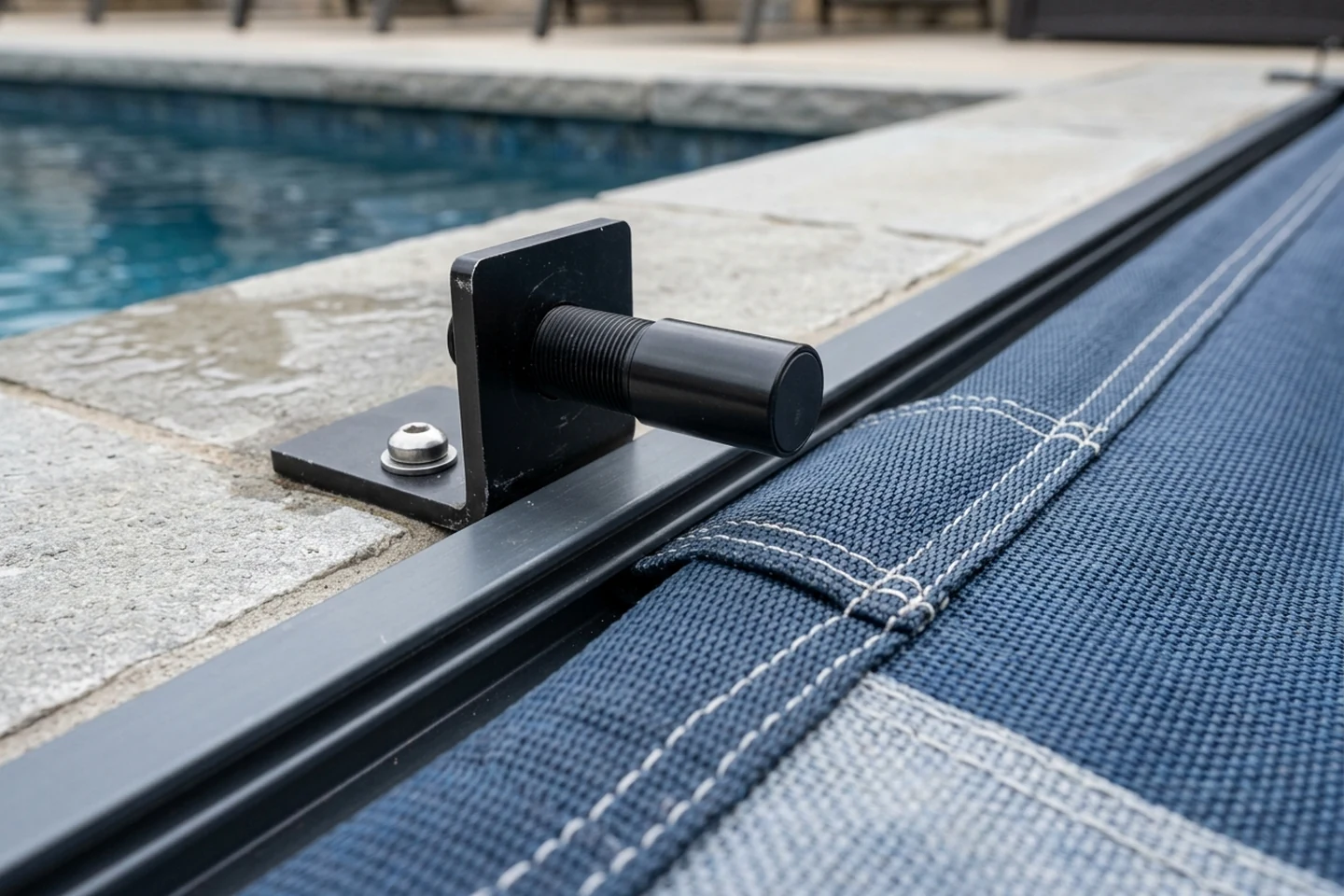
For an APC key-switch system using magnet kit KA-0184, installers insert the open magnet from kit KA-0184 into the front of the webbing on the motor side and install the close magnet from kit KA-0184 in the tail end of the webbing on the motor side through a slit cut 6 inches behind the guide, accounting for the magnets traveling approximately 1 inch past the sensor before the cover stops and running the cover 3 to 4 times open and close to verify magnet alignment.
In the APC Cover Stop Kit KA 0587 installation instructions, the Cover Stop Kit is an add-on compatible with both 2-channel and 3-channel systems used to stop the cover before it hits the passive metal guide by installing a 6 inch long hard stop (or two hard stops inline for a maximum length of 12 inches) flush with the end of the encapsulation and pushing a 1/4 inch locking pin through the holes in the Track, hard stop, and Retainer.
Verifying magnet polarity for active sensors or lead assignment for dry-contact reed switches ensures the controller recognizes both the open water-feature enable position and the closed travel stop.
Dedicated valve and pump interrupter modules and touchpad controller limits
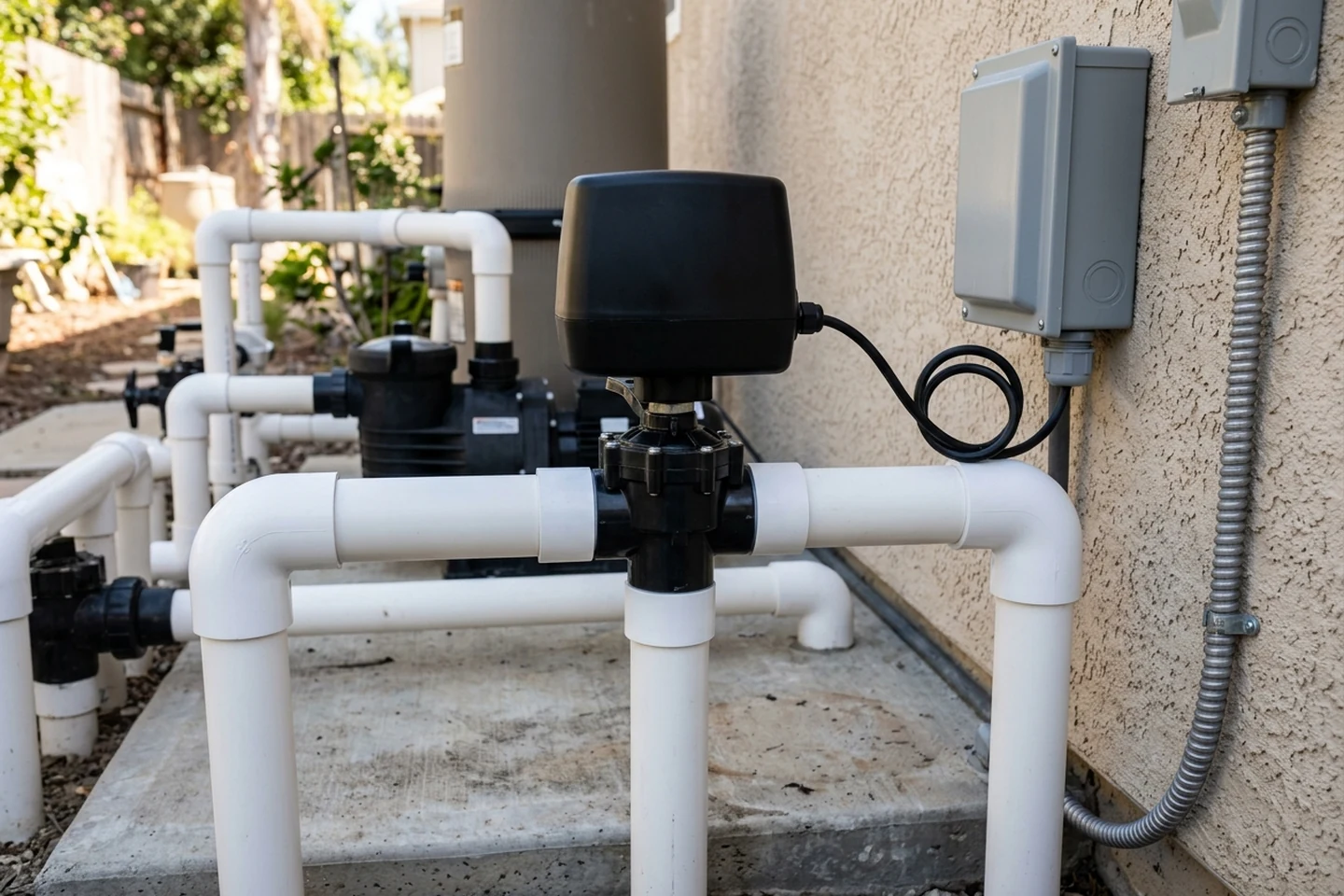
When an automatic cover system uses standalone valve or pump interrupter modules or touchpad motor controllers at the equipment pad, each control assembly requires specific operating modes, line-of-sight switch mounting, and branch-circuit protection.
On the Latham IN1128 Valve Interrupter, the 10730 Control must be in mode two (indicated by the repeating double blue flash after the control has fully booted up), label 99055 must be placed so that the bottom terminal block screws are still visible without covering them, and the blue Sensor Open should be closest to the outside end of the control assembly.
To change modes on the 10730 controller used with the IN1128 Valve Interrupter, disconnect power, connect DIR 1, DIR 2, and COM together, reconnect power with the wires connected, and once the LED flashes blue disconnect the wires to cycle through the modes.
On the Latham IN1129 Pump Interrupter, the 10730 Control must be in mode two (indicated by the repeating double blue flash after the control has fully booted up) and provides terminal connections for 5 VDC, SEN 1, COM, DIR 2, and DIR 1.
In the Latham Touch Screen Pool Cover Controller installation instructions (L0311), the device must be installed in accordance with national and local electrical codes (NEC 680-26), the control switch must be mounted in a fixed location where 100% of the pool surface is visible, and the power circuit should be sized for 15 amps and must be sized accordingly.
On the Latham Touch Screen Pool Cover Controller, if the limit switch is triggered, movement in that direction will be disabled until the cover is operated in the opposite direction: with 121 control boards the button in the tripped limit direction will disappear until the cover is ran in the opposite direction, whereas with the high voltage limit board the cover will stop, but the touch controller will display as if it is operating.
On the Latham Touch Screen Pool Cover Controller low-voltage control board connections, 5v DC+ uses Red, Gnd DC- uses Black, Control board Rx uses White, and Control board Tx uses Green.
In the Latham A2580 Touchpad Controller installation guide (L2580), the controller must be installed with a GFCI rated breaker with a rating of 20 amps, and to maintain compliance with ASTM 1946 the touch pad control switch must be mounted in a fixed location where 100% of the pool surface is visible.
For hydraulic systems, the Latham A2580 Touchpad Controller pairs with the solid state relay A3202 or A3203 and 230/240V input power, is not compatible with low-voltage systems which use E1160 or E1161 or 24V DC systems, and is rated for output voltage 24V-230V AC, input power of 20-260V AC, and a contact rating of 90-amps.
During amp limitation setup on the Latham A2580 Touchpad Controller, auto calibration requires at least 3 seconds of travel to record the amp limitation (showing Need More Samples on the display if travel is shorter than 3 seconds), while manual calibration allows entering the desired amp limit in a range between 2.0-20.0 Amps.
Confirming the controller boot-up flash sequence and calibrating motor current trip settings prevents false lockouts while keeping water feature interruption active.
Pool automation cover inputs, spa spillover lockouts, chlorinator turndown, and freeze protection
Connecting the automatic cover closed-position signal directly into the pool automation controller allows the automation system to lock out auxiliary waterfall relays, adjust salt chlorinator output, and prevent freeze-protection routines from overflowing onto a closed cover.
The Jandy Cover-Pools/AquaLink RS Interface (H0370100_REVB) is designed for use with AquaLink RS OneTouch Systems with Rev R Firmware or later and the Cover-Pools Auto-Shutoff Controller.
The Cover-Pools/AquaLink RS interface is designed to let the AquaLink RS control systems know when the pool is closed so selected equipment can be turned off and/or the settings can be adjusted, and the printed circuit assembly can be mounted inside of the power center enclosure on the AquaLink RS bezel assembly as a daughter card or in the low-voltage raceway of the power center enclosure.
Wiring the Cover-Pools/AquaLink RS interface connects the RS485 communication cable between the red 4-pin terminal bar on the AquaLink RS PC board and the red 4-pin terminal bar (J1 connector) on the Cover-Pools interface board, and routes a 4-wire cable through the low-voltage raceway knockout (never running high voltage and low voltage in the same conduit) with 1/4 inch of insulation stripped at both ends to the 4-pin J5 connector on the interface board.
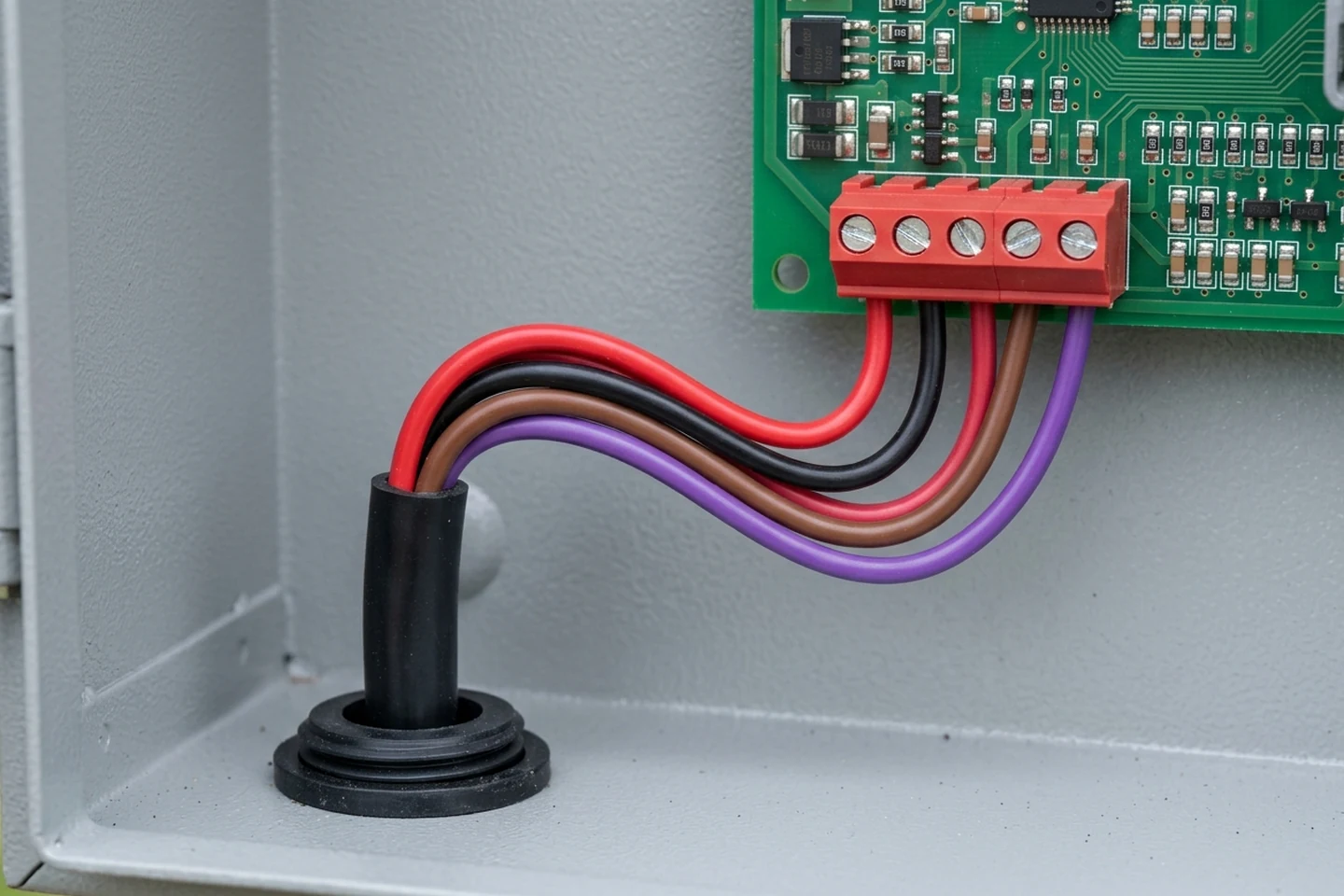
Using the four included wire nuts, each color-coded wire (BLK, BRN, PUR, RED, as stamped on the 4-pin J5 connector of the Cover-Pools/AquaLink RS interface board) is secured to the matching color wire of the accessory board control wiring and the keypad control wiring on the Cover-Pools Auto-Shutoff Controller.
In the Jandy Cover-Pools/AquaLink RS Interface manual warning, if motor directions, key switch, and magnet are improperly wired so they read closed when the cover is open or vice versa, the installer must exchange the purple and brown wires on the J5 connector to correct the wiring.
Using the AquaLink RS OneTouch (Rev R and newer) or iAquaLink WebTouch user interfaces (Rev S and newer) under SYSTEM SETUP and COVER-POOLS, the DISABLE DEVICES screen for COVER CLOSED lets installers select AUX1 through AUX7 to disable when the cover is closed, and the AQUAPURE ADJUST screen sets reduced Pool and Spa output percentages when the cover is closed (such as SET POOL TO: 5% or 10% and SET SPA TO: 5%).
In Poolside Tech's Pool and Spa Cover Sensors guide, The Attendant connects to cover switches on flow switch ports SW1 through SW5 (and SW1 through SW2 on The Attendant Mini) via a 2-wire 18-22 AWG cable from the pool cover's closed switch to prevent water features from running when the cover is closed and adjust salt water chlorinator output to safe levels when the cover is closed.
When adding a Cover Sensor in The Attendant mobile app in Installer Mode under Devices, installers confirm the Port Type (defaulting to Flow Switch), choose the Switch Number, set the Switch Type to Normally Closed (circuit closed when cover is fully retracted, most common) or Normally Open, and under Site and Water Features toggle Can run when body of water is covered on or off for each water feature.
In Poolside Tech's Freeze Protection and Pool Covers guidance, if a cover is closed during a freeze event and not properly configured, The Attendant may still run features such as waterfalls, deck jets, or spa spillovers, which can cause water to spill onto the cover (leading to sagging or tearing), trap chemicals under the cover, increase wear on both the cover and pool equipment, and allow Freeze Protection to override cover safety.
Testing both normal cover closure and simulated cold-weather freeze protection verifies that spa spillovers, waterfalls, and deck jets remain disabled whenever the pool is covered.
Programmable cover control box relays, dry-contact pump and electrolyser outputs, and spa safety rules
Programmable automatic cover control boxes provide dedicated relay cards and dry-contact terminals that signal filtration pumps, lighting circuits, and salt-chlorine electrolysers according to whether the cover is open, moving, or closed.
In the Technics and Applications AquaTop Control Box manual, the control box (Article number AT-003250 for 250W and AT-003251 for 500W, IP54, 1.14A, CE certified) provides circuit board connections for J7 configurable inputs (Input 1 and Input 2), J12 pulse contact, Relay 1 (relay card 1, relay 1-4, n/c - common - n/o), and Relay 2 (relay card 2, relay 5-8).
In the AquaTop Control Box software menu (protected by Security Code 2018, active during 60 minutes), the 8 general-purpose relay outputs can be configured as Pulse, Toggle, or Timer, and when the endpoints are not valid (as well as during manual mode, debug mode, and configuring endpoints), outputs with functions that depend on the position (Is Open, Is Closed) should be deactivated.
In Table 2 of the AquaTop Control Box manual, Relay 1 (Output 1) with function setting F3 switches off the pump during opening/closing of the cover (where default is running and installers choose closed for latching), Relay 2 (Output 2) with function setting F2 automatically switches off pool lights when the cover is fully closed, and Relay 3 (Output 3) with function setting F1 regulates speed of the pump for higher speed the moment the cover is open.
In the AquaTop Control Box default settings, motor speed when closing is 75% of the nominal speed with a 20% take off run and 100% of the nominal speed when opening, while the default relay settings assign Output 1 to F3 (Cover is running, contact closes or opens only when cover is moving), Output 2 to F2 (Cover is closed), Output 3 to F1 (Cover is open), and Output 4 to F6 (Channel B of remote control).
In Section 5.8 of the SIREM COVEO technical manual, the Electrolyser Contacts remain a Closed contact when the pool is open, when the pool is closing, or when the pool is opening, and switch to an Open contact when the pool is closed or when manual mode is engaged (taking the pool cover closed position for reduction of chlorine production).
In the SIREM COVEO technical manual (NT-5218-3_EN-00), the Pump Contacts change status when the motor is running: they remain a Closed contact when the pool is open or when the pool is closed, and switch to an Open contact when the pool is closing or when the pool is opening.
In the Cover-Pools T3 Evo Automatic Pool Cover Owner's Manual, the T3 Evo meets ASTM F1346 Class PCS when used as instructed; before operating the cover, operators must remove all objects from the spa and cover (including toys, spa cleaners, cover pumps, and hoses), maintain full view of the spa area when operating the cover, and never leave a spa partially covered.
When placing the cover pump on the Cover-Pools cover, operators must place the pump on the cover first and then plug the pump into a Ground Fault Circuit Interrupter (GFCI) protected outlet only, must not use an extension cord, and must replace the pump immediately if the pump or cord becomes damaged.
In the Cover-Pools Shear Pin Replacement Instructions for Model 1 and Model II Save-T Cover Mechanisms, the shear pin acts like a fuse meant to break if the system is over stressed (with 4 shear pins on the Model 1 mechanism including 080100 SHEAR PIN 1/4 X 1 and 080101 SHEAR PIN 1/4 X 1-1/2 in the shifting collar and 080123 SHEAR PIN 1/4 X 1-1/4 on the drum and opposite end, and one 080101 SHEAR PIN 1/4 X 1-1/2 on the Model II system), whereas Cover-Pools newest systems use solid heavy-duty drive pins with slip clutches or electrical Auto-shutoff systems.
Clearing hoses, cleaners, and cover pumps before moving the cover and never leaving a spa partially covered protects both bathers and the drive mechanism.
Trade split, conduit separation, and housing hold points during pool construction
Installing spa spillover interlock wiring and sensor conduits requires locking in trade responsibilities, separate high-voltage and low-voltage conduit runs, and housing plumbing keep-out zones before deck concrete is poured, in alignment with the automatic pool cover electrical requirements and construction coordination hold points.
In the Travis Pool Covers installation trade split, the builder owns shell geometry, deck elevation, and housing rough-in, the electrician owns the circuit and disconnect, and the cover installer owns tracks, roller, fabric, limits, and commissioning.
In the Travis Pool Covers electrical requirements guide for an auto-shutoff with an accessory board or AquaLink, Option 1 mounts the auto-shutoff outside the housing in or by the equipment room or equipment pad, uses a Key Switch 5v with a conduit of (3) 18 AWG identified wires or CoverLink wired control with (4) 18 AWG minimum, and uses another conduit with (4) 14 AWG wires for power and (3) 18 AWG for sensors.
In the Travis Pool Covers construction coordination hold points, installers must not install plumbing within 14 in of the deck in the housing area, must place a 3 in drain in the floor or the wall of the recessed housing with a centerline 4 in maximum from the end wall, and must place the conduit on the motor end not more than 4 in into the box and 6 in maximum from the top of the box.
Documenting the builder, electrician, and cover installer scope on the pre-wire drawings prevents missing sensor conduits between the recessed cover box and the equipment pad.
Field commissioning and verification checklist
Before handing the pool over to the owner, the electrician and cover technician should verify every water feature interlock and automation lockout across full open and close travel cycles:
For full project sequencing and branch-circuit planning, review our automatic pool cover installation hub, automatic pool cover electrical requirements, low-voltage waterproof wiring inside cover vaults, and automatic pool cover construction coordination.
- Confirm the poolside cover control switch is mounted in a fixed location with full visibility of the entire pool and spa water surface.
- Verify high-voltage motor feeders and low-voltage key-switch or magnetic sensor cables run in separate conduits between the cover housing and the equipment pad.
- Check directional switch wiring against the controller directional indicators so actuating the close command immediately drops out the water feature relay.
- Inspect the guide-mounted or frame-mounted magnetic sensor gap and confirm the cover webbing or shaft magnet triggers reliably after accounting for coasting travel.
- Open the cover completely, activate the spa spillover, waterfall, and deck jet circuits, then initiate cover closure and confirm every water feature shuts off and cannot be restarted while the cover is deployed.
- Verify the pool automation cover-closed input reduces salt water chlorinator output and locks out spa spillover and waterfall relays during freeze protection.
- Confirm all floating toys, cleaners, hoses, and submersible cover pumps are removed from the pool and spa before operating the cover.
Sources
Manufacturer installation manuals, interface wiring instructions, and technical guides referenced in this article:
- Latham Pool Products — Electronic Controller Installation and Feature Control Wiring Instructions
- Latham Pool Products — Valve Interrupter and Pump Interrupter Wiring Notes
- Latham Pool Products — Motor Limit Control Hall Effect and Reed Switch Sensor Wiring Instructions
- Latham Pool Products — Touch Screen and Touchpad Pool Cover Controller Installation Guides
- Automatic Pool Covers — Specification Book for Sensor Motor Adapter, Key Switch Harness, Water Feature Sensor Adapter Kit, and Cover Stop Kit
- Jandy Pro Series — Cover-Pools and AquaLink Interface Installation and Operation Manual
- Poolside Tech — The Attendant Pool and Spa Cover Sensors and Freeze Protection Configuration Guide
- Technics and Applications — AquaTop Control Box User Manual
- SIREM — COVEO Motorized Pool Cover Technical and Installation Manual
- Cover-Pools Incorporated — Automatic Pool Cover Owner Manual and Save-T Mechanism Shear Pin Replacement Instructions
- Travis Pool Covers — Automatic Pool Cover Installation, Electrical Requirements, and Construction Coordination Guides
Parent hub: Automatic pool cover installation